
App & Web
Your website address
Turn your website on or off and choose its free culminate.life address.
Every organization gets a free website address on culminate.life, like yourchurch.culminate.life. You can change it any time, and you can also connect your own domain.
Open Organization → App & Web. The Web tab opens first.
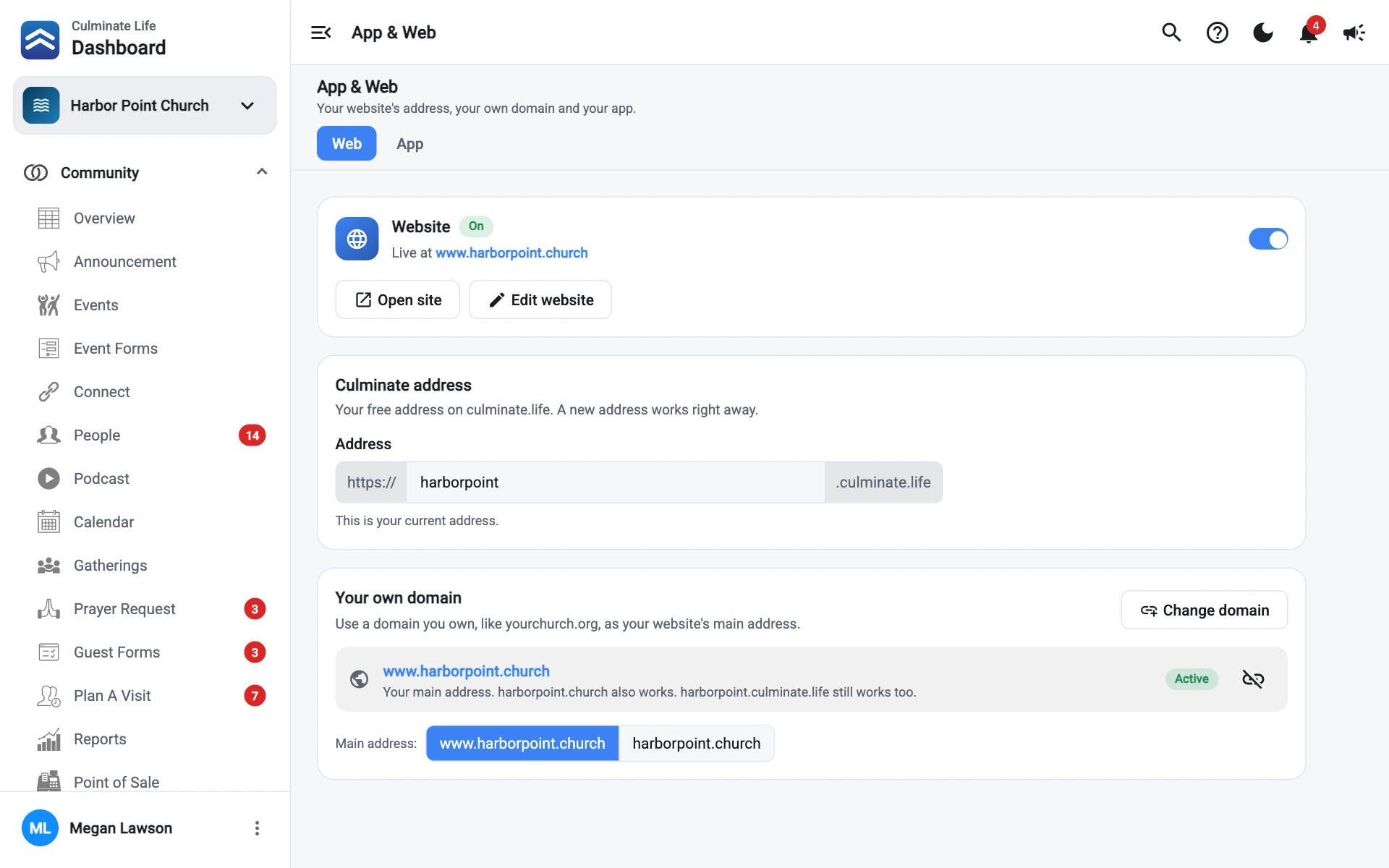
Turn your website on or off
The Website card shows whether your site is On or Off, and the address it’s live at.
- Open site opens your site in a new tab.
- Edit website opens the site editor.
- The switch turns the site on or off.
When you turn it off, you’re asked to confirm. Visitors then see “This site isn’t available” until you turn it back on. Nothing is deleted: your pages, landing pages, and blog are all still there.
Change your culminate.life address
The Culminate address card shows your current address.
- In Address, type the name you want, like
gracechurch. You only type the part before.culminate.life. - Wait a moment while it checks. You’ll see … is available when you can use it, or why you can’t.
- Select Save address, then Change address to confirm.
The new address works right away.
An address must:
- Be 3 to 63 characters.
- Use only letters, numbers, and hyphens, starting and ending with a letter or number.
- Not have dots or two hyphens in a row.
Spaces turn into hyphens as you type, and capital letters into lowercase. Cancel puts back your current address.
Your old address stops working as soon as you change it, and another organization can take it. Update any links, QR codes, emails, or printed materials that use it. If you’ve connected your own domain, it isn’t affected.