
Giving
Giving settings
Set up the funds people give to, and turn on text to give.
Open Giving → Settings. Changes save automatically; you’ll see All changes saved.
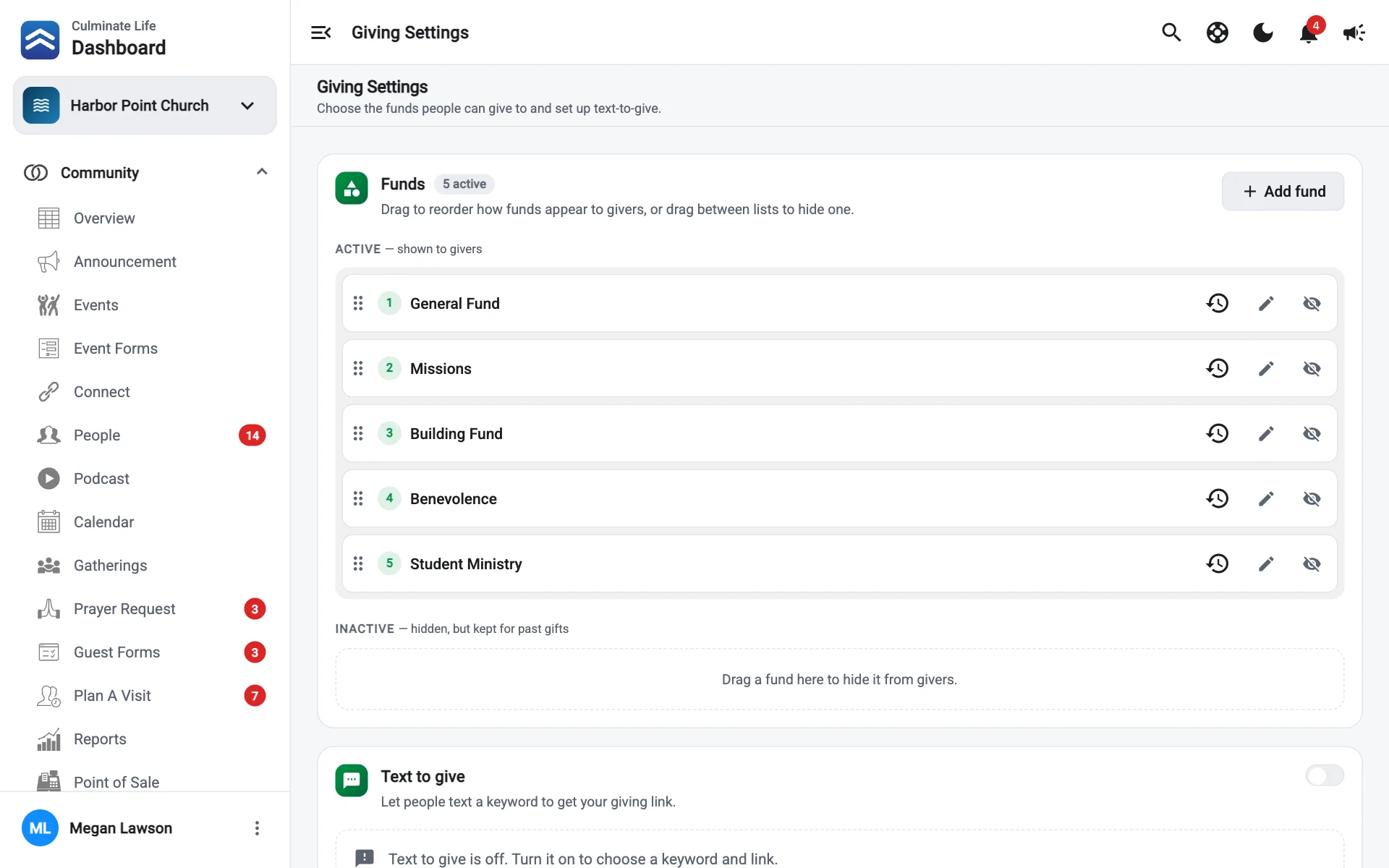

Funds
Funds are where people choose to give, like General, Missions, or Building fund.
Add a fund
- Select Add fund.
- Enter the Fund name (shown to givers) and, optionally, an Account name (your bookkeeping account, included in exports and reports).
- Save.
Order and hide funds
- Active funds are shown to givers. Drag them to set the order givers see.
- Inactive funds are hidden from givers but kept for past gifts.
- Drag a fund between the lists, or use its Hide fund / Activate fund button.
Select a fund’s Edit fund to rename it.
If there are no active funds, givers won’t have anywhere to give. Keep at least one active.
Text to give
People text a keyword to your number and get your giving link back.
- Turn on Enabled.
- Choose the Keyword people text, like
GIVE. - Enter the Giving link sent back in the reply.
The Preview shows the reply: “Thanks for giving! Tap to give securely:” followed by your link.
Text to give needs a texting number for your organization. Get one in Integrations.