
Community reports
Every section of the dashboard has a Reports page with ready-made reports. They all work the same way.
Run a report
Open Reports
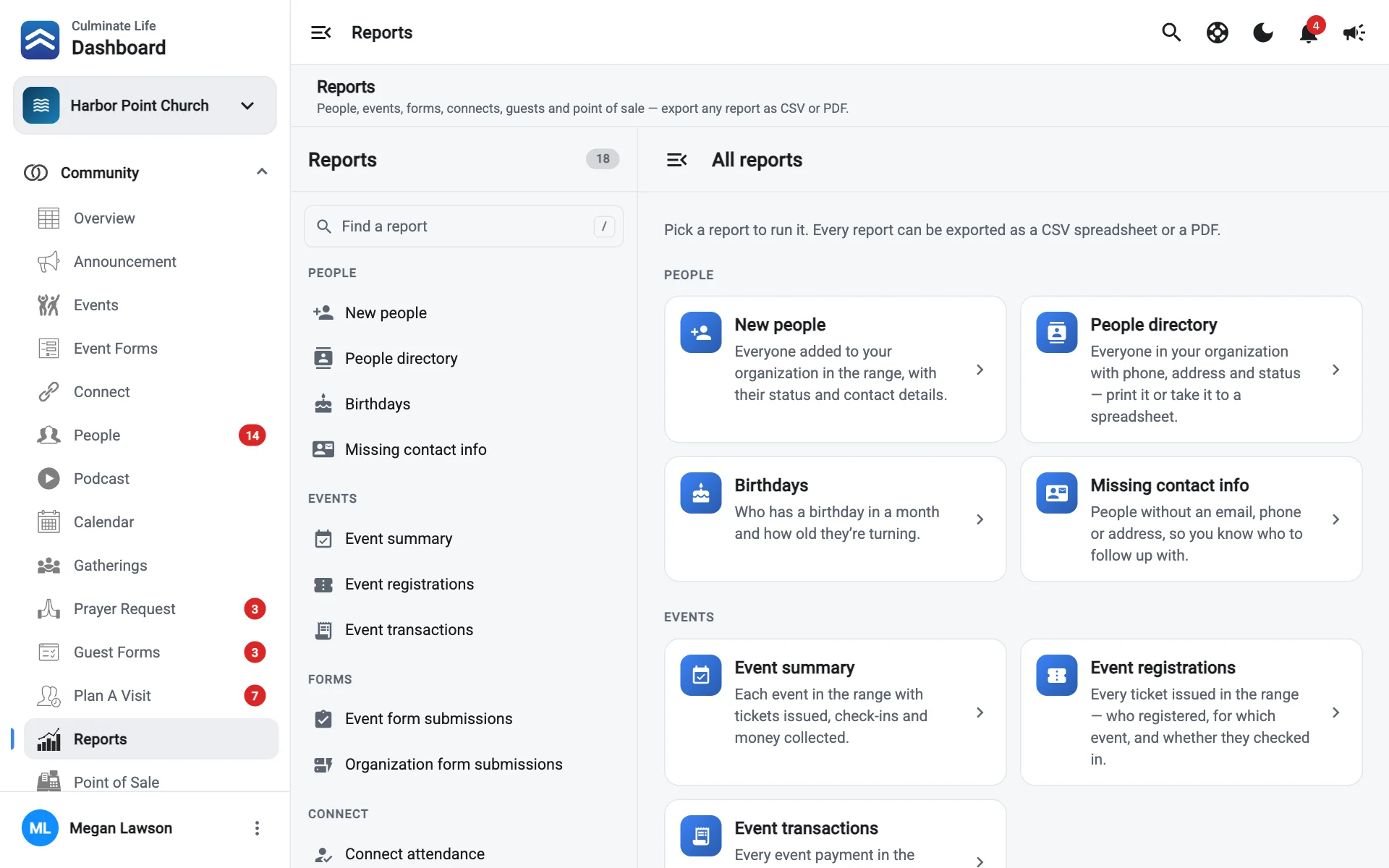
Go to Community → Reports. Reports are listed on the left by group. Use Find a report to search.
Pick a report
Choose a date range
Select a range, like This month, Last 30 days, or Year to date. The report runs as soon as you pick one. For other dates, select Custom and pick the Dates. Some reports have an extra filter, like a month for birthdays or which funds to include.
Select Run report
Results appear in a table. Search the results, or filter them with the menu above the table.
Export it
Select Export, then CSV spreadsheet (for Excel, Numbers, or Google Sheets) or PDF document (for printing).
Select Run again after you change the range or filters. Hide reports makes room for wide tables.
Community reports
| Group | Report | What it shows |
|---|---|---|
| People | New people | Everyone added in the range, with status and contact details. |
| People | People directory | Everyone with phone, address, and status. Print it or take it to a spreadsheet. |
| People | Birthdays | Who has a birthday in a month and how old they’re turning. |
| People | Missing contact info | People without an email, phone, or address, so you know who to follow up with. |
| Events | Event transactions | Every event payment in the range, with fees, net amount, and refunds. |
| Events | Event summary | Each event in the range with tickets issued, check-ins, and money collected. |
| Events | Event registrations | Every ticket issued: who registered, for which event, and whether they checked in. |
| Forms | Event form submissions | Event forms filled out in the range, by form and event. |
| Forms | Organization form submissions | Organization forms (contact, sign-ups, requests) submitted in the range. |
| Connect | Connect attendance | Who came to each connect, how often, and when they were last there. |
| Connect | Connect attendance by location | Sessions and check-ins per meeting room. |
| Connect | Connect members | Each connect’s roster with contact details. |
| Connect | Connect payments | Dues and payments collected in the range. |
| Guests & care | Planned visits | Visits planned for dates in the range, and who showed up. |
| Guests & care | Guest form submissions | First-time guests who filled out a guest form, by location. |
| Guests & care | Prayer requests | Requests received and whether your team has seen them. |
| Point of sale | Point of sale orders | Every order with subtotal, discounts, tax, fees, and net. |
| Point of sale | Item sales | What sold: quantity and revenue by item, best sellers first. |
Reports in other sections
You only see reports your role can open. Each section’s reports need that section’s reports permission.