
Watch and listen
Your website plays everything in Podcast and Videos: your live stream, episodes, series, and event videos. People can watch and listen without signing in. They sign in to chat, comment, and take notes.
Live
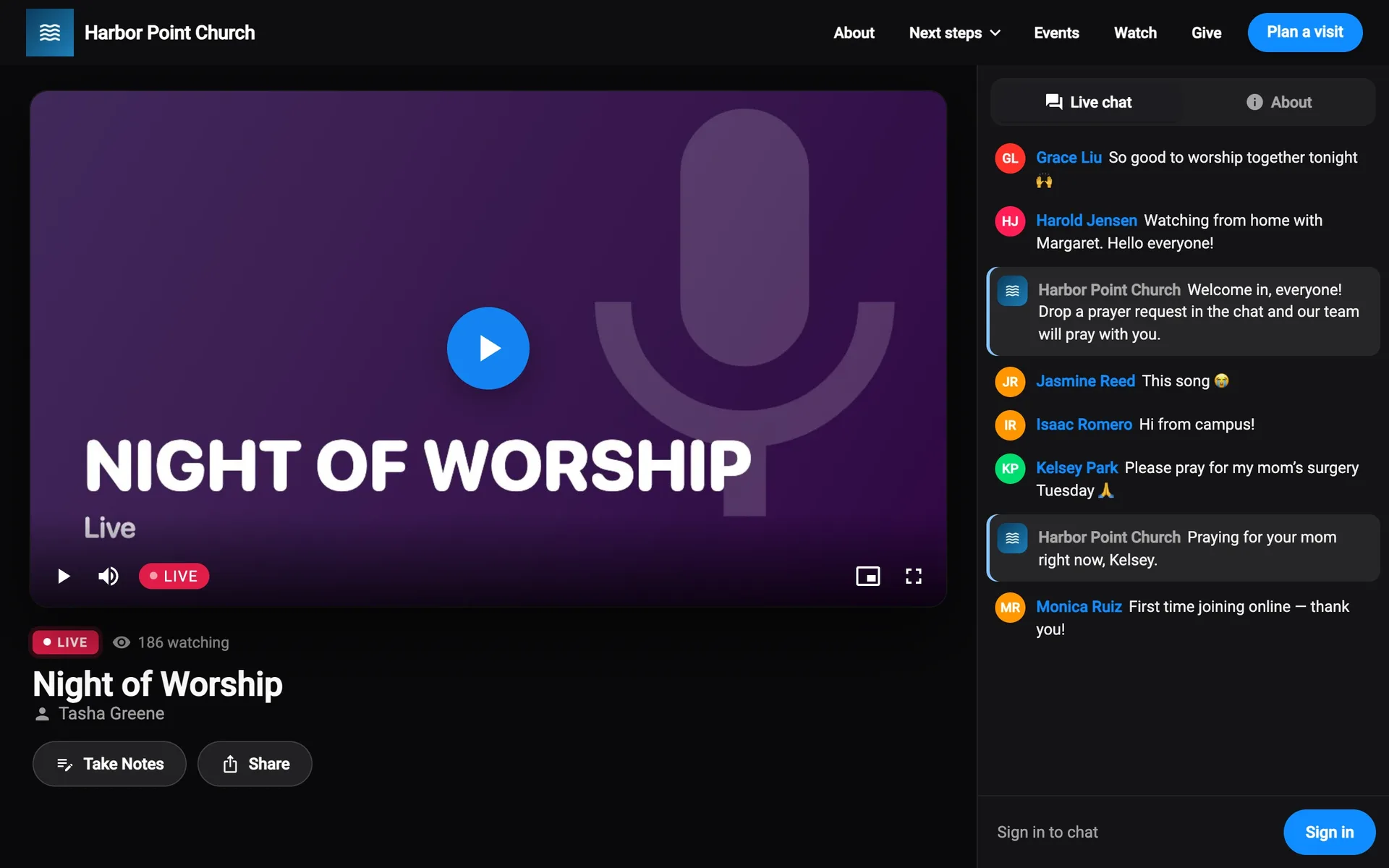
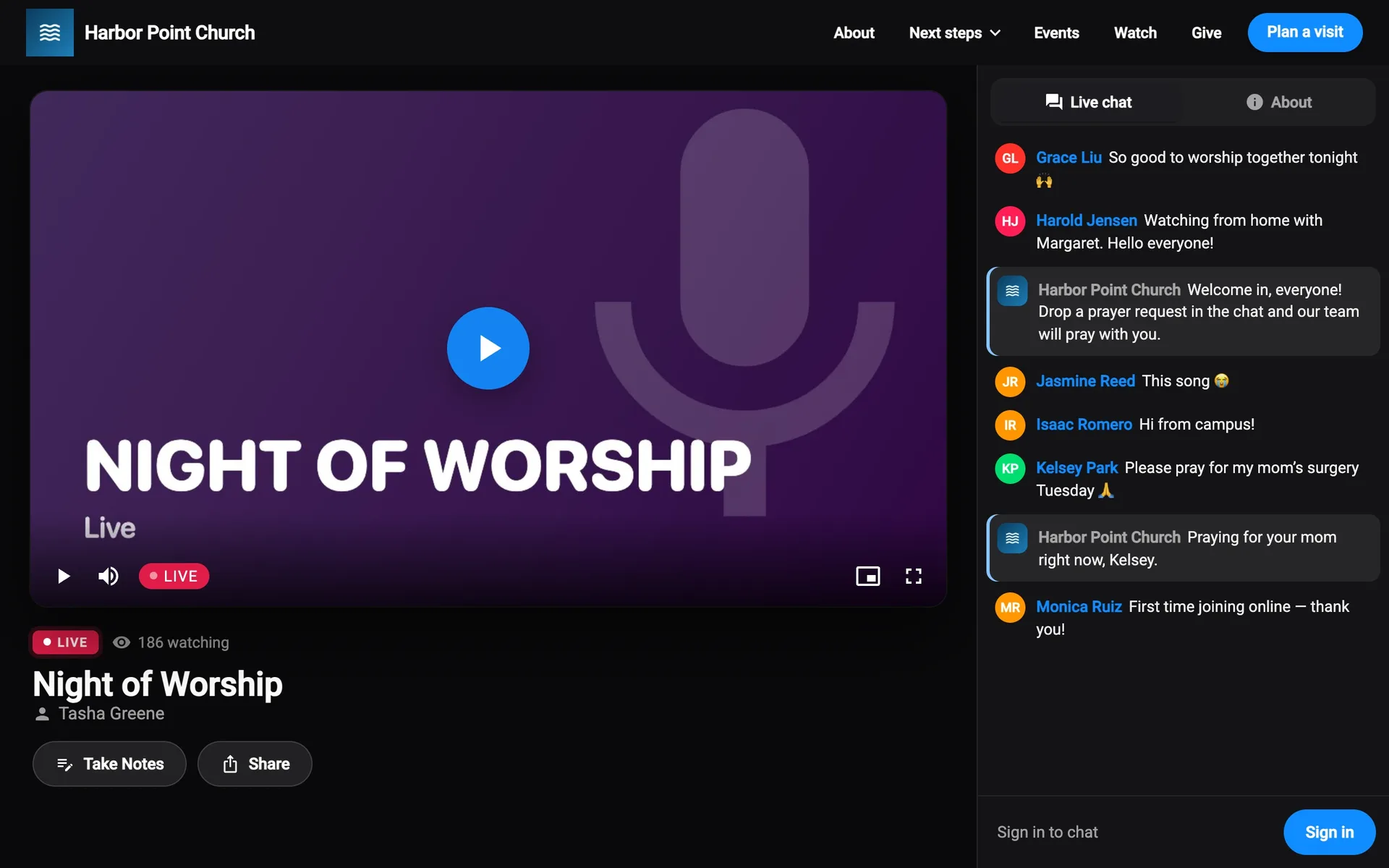
Your website’s Live page plays your live stream. It’s always dark, so the video stands out.
- Before you start, it shows Upcoming or Starting soon, with a countdown.
- While you’re on, it says Live, and how many are watching (if you show that).
- With nothing scheduled, it says No live stream right now, with Back to home. You can change that text.
Under the video:
- Give opens giving, if your site has a giving section.
- Take Notes opens a note for the service (signed in).
- Share shares the page or copies its link.
Beside the video, Live chat is where people talk during the service, and About has the stream’s notes. Anyone can read the chat. To post, they select Sign in to chat. You can turn chat off.
The “We’re live” banner
While you’re live, every other page on your site pops up a banner with Watch Now. People can close it.
Play an episode
Selecting an episode opens the player over the page.
- Play, Pause, and jump back or forward 15 seconds.
- The speed button (like 1×) changes the speed.
- The sleep timer, Stop Playing In, stops after 15, 30, or 45 minutes, an hour, or at the End of episode.
- Audio and Video switch between the two, when an episode has both.
- The heart likes the episode.
The tabs beside it:
| Tab | What’s there |
|---|---|
| About | The speaker, the episode’s post, Notes, Share, and comments. |
| Up Next | The rest of the series. Play the next episode automatically keeps it going. |
| Songs | The episode’s worship set. |
More has Share, Take Notes, Go to Series, and Close Player.
Minimize player shrinks it to a bar at the bottom, so people can keep browsing while it plays. Open player brings it back. Videos get a small card with Picture in picture.
Worship set
On Songs, Play Set plays previews of the week’s songs, or Open in Apple Music / Open in Spotify opens the set there. Listen With chooses Apple Music, Spotify, or Just Previews.
Series
A series page has Play Latest and Play (or Resume Week number), and each week’s message with Take Notes, Watch, and Play. Oldest First and Newest First reorder the list. More Series is at the bottom.
Notes
Take Notes opens a note beside the episode or live stream. People type, then select Done. Notes are saved in My Account → Notes, where they can share them with their groups.
Comments
On an episode’s About tab, Comments lets people talk about it. You can turn comments off.
- Add a comment…, then Reply to someone, and thumbs up or down.
- Top and Newest sort them.
- Your replies show a Host badge. Comments you pin or like say Pinned by your name or Liked by your name.
- Each comment’s menu has Copy Text, Edit and Delete (their own), and Report….
Signed out, it says Sign in to comment, reply and vote.
Report a comment
Report… asks What’s wrong with it?: Spam or scam, Harassment or bullying, Hateful or offensive, or Something else. They can also hide that person’s comments. Removed comments say This comment was removed.
Event videos
An event’s videos have their own page, with Videos and Live chat or Comments tabs.
Videos marked For ticket holders need a ticket:
- Signed out, it says Sign in to watch. They sign in with the account they got their ticket with.
- Signed in without a ticket, it says Get a ticket to watch, with Get tickets.
See Event videos.